Shopify app bloat: how too many apps slow your store and what to do about it
Every Shopify app promises a small lift. Together they can add seconds to every page. Here is how we audit and slim down a store without losing features.
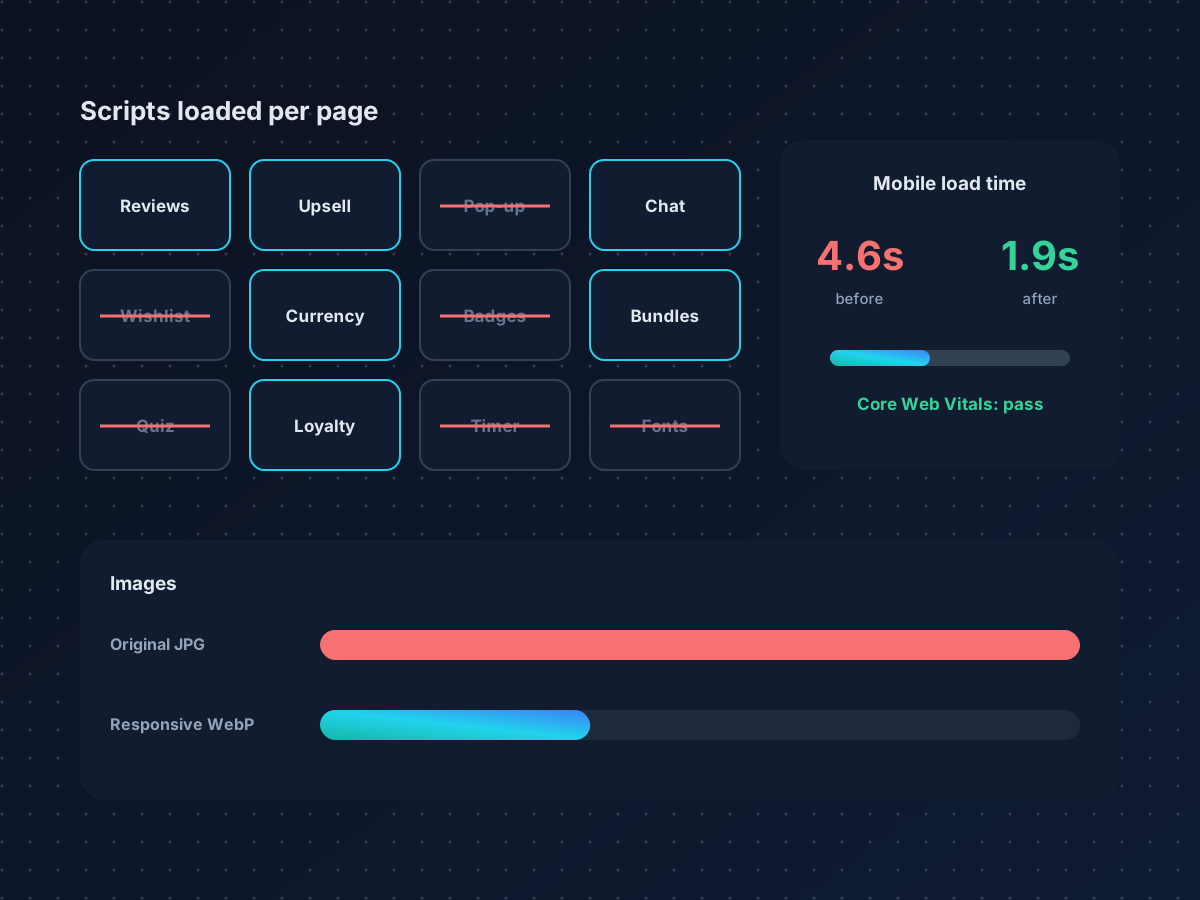
Shopify makes it easy to add features: reviews, upsells, pop-ups, wishlists, currency switchers, chat. Each app usually adds its own JavaScript and CSS to every page, whether that page uses the feature or not. After a couple of years, many stores load twenty or more third-party scripts before a shopper can tap Add to cart.
We saw exactly this when rebuilding the Helix Seven store. Here is the process we follow.
1. Inventory every app and script
Start with a list of installed apps, what each one does, and whether anyone still uses it. Then open your storefront with browser developer tools and list every third-party script that loads. You will often find scripts from apps that were uninstalled months ago, because some apps inject code into theme files that stays behind.
2. Remove leftover code
Search your theme files for snippets and app blocks that reference removed apps. Duplicate your theme before editing, remove the leftovers, and test key pages. This step alone can remove several requests per page.
3. Replace apps with native features
Shopify's Online Store 2.0 themes include features that once needed an app:
- Product recommendations and complementary products
- Metafields for size guides, ingredients, and specifications
- Native product reviews through Shopify's own app or lighter alternatives
- Collection filtering without third-party filter apps
- Markets for currency and language
For small features like a shipping bar or a trust badge, a few lines of theme code are lighter than an app that loads a whole framework.
4. Fix images and fonts
Use Shopify's image filters to serve responsive sizes in WebP, set width and height attributes to prevent layout shift, and lazy load images below the fold. Limit custom fonts to one or two families with only the weights you use.
The fastest script is the one you never load. Before optimizing an app, ask whether you need it at all.
5. Defer what is not critical
Chat widgets, review carousels, and pop-ups do not need to load before the page is usable. Load them after user interaction or after the main content has rendered.
6. Measure with real user data
Lab tools like PageSpeed Insights are useful for debugging, but Google uses field data from real Chrome users. Check the Core Web Vitals report in Search Console and Shopify's own web performance dashboard, and track changes over 28 days.
Do not forget tracking
When you remove apps, make sure you do not break conversion tracking. Moving to Shopify customer events with Meta Conversions API and Google enhanced conversions gives you lighter pages and more accurate data at the same time.
Need a speed audit for your store? Book a free strategy call.